
A sanctions or PEP alert pops up, your queue spikes, and someone on the business side asks, “Can we just clear it?” That’s how mistakes happen.
Good sanctions PEP triage is a lot like airport security. Most bags are fine, but you still need a repeatable process that proves you checked the right things, in the right order, at the right time.
This guide gives you a 15-minute triage checklist and an audit-ready evidence pack you can reuse across onboarding, periodic reviews, and payment screening.
Why sanctions and PEP false positives pile up (and why speed still matters)
False positives aren’t just “bad matching.” They’re usually caused by a few predictable issues:
- Common names and transliteration (Mohammed, Zhang, Ivanov).
- Thin identifiers in the alert payload (no DOB, no address).
- List data that’s broader than your customer record (aliases, former addresses).
- Over-tight rules (low thresholds to avoid misses, which increases noise).
Speed matters because delays break onboarding, block payouts, and frustrate good customers. But rushing without evidence creates a different problem: an auditor asks, “How did you decide?” and you’ve got nothing solid to show.
If you’re working on reducing noise overall, this AML false positive reduction checklist is a useful companion for tuning the upstream causes, while the checklist below focuses on fast, consistent decisions once an alert fires.
The 15-minute sanctions PEP triage checklist (built for consistent decisions)
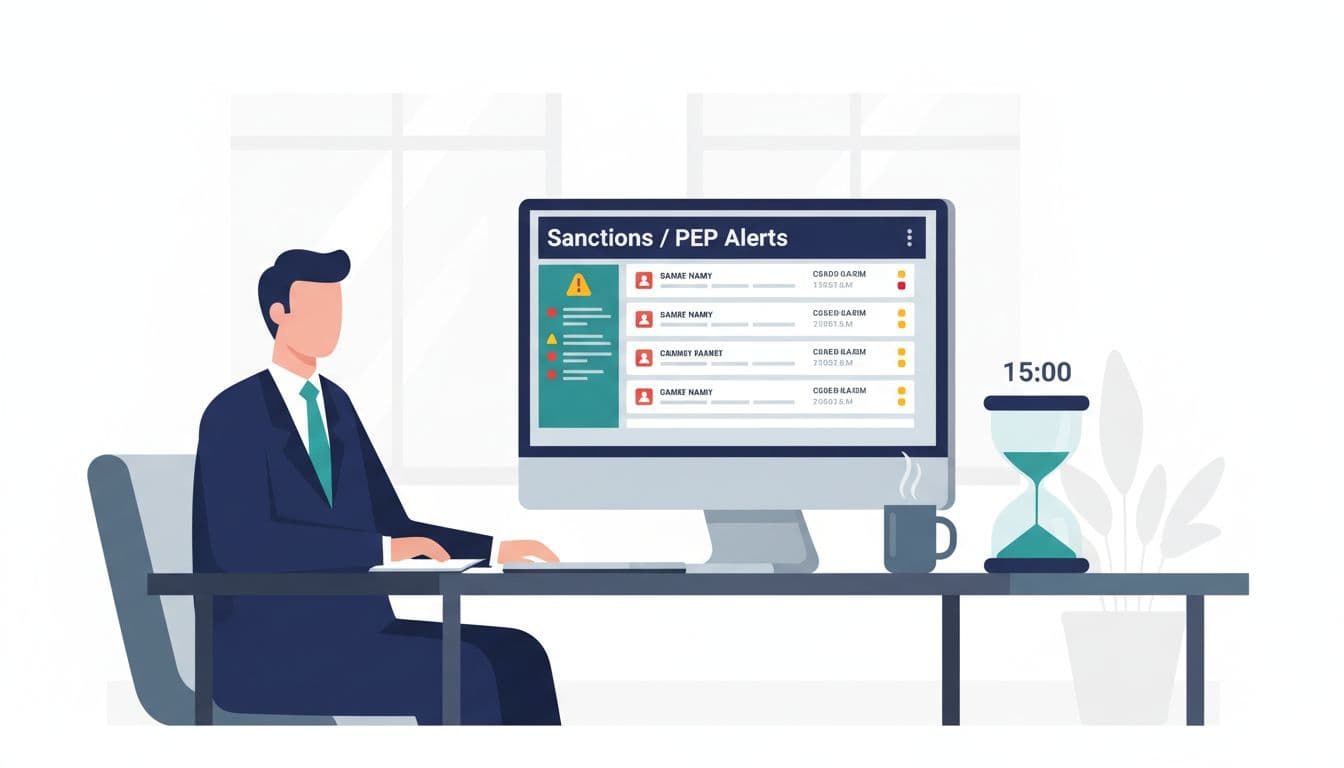
Before you start, set a rule for yourself: triage is about deciding false positive, needs more info, or escalate. It’s not about writing a novel.
Minute 0 to 2: Confirm the alert context (so you don’t review the wrong thing)
Start by capturing the basics:
What triggered the alert: sanctions, PEP, or both; name match, country, vessel, company, address.
Which workflow: onboarding, periodic review, transaction screening, beneficiary screening.
List source and timestamp: what list set you screened against and when.
If you can’t state those three items clearly, you’ll struggle to defend the decision later.
Minute 2 to 6: Do the “same-person” test using identifiers (not vibes)
This is the highest value step. You’re trying to answer one question: Could this realistically be the same person or entity?
Check these identifiers, in this order:
- Date of birth or age (exact match beats everything).
- Nationality and country of residence (don’t over-weight this alone).
- Address and city (street-level match is strong, country-only is weak).
- Government ID numbers (passport, national ID, tax ID).
- Gender and occupation (supporting signals, not primary ones).
- Entity identifiers (registration number, LEI, vessel IMO, SWIFT/BIC).
A quick gut-check: if you only have a name and a country, you don’t have enough to “clear with confidence.” That’s a “needs more info” or “escalate,” depending on risk.
Minute 6 to 9: Evaluate match quality (aliases, fuzzy scores, and name structure)
Now look at how the match was generated:
- Exact name vs fuzzy: a low fuzzy score plus weak identifiers usually equals false positive.
- Alias logic: does the list entry include known aliases that match your customer?
- Name order and components: family name vs given name, middle names, particles (bin, al, de).
- Script and transliteration: small differences can be normal, big structural differences matter.
If you use a vendor platform, document how your tool treats aliases and fuzzy matching. Vendor explainers like GBG’s overview of PEPs and sanctions screening can help frame what “screening” means to non-compliance stakeholders (and to auditors who want to see your methodology is understood internally).
Minute 9 to 12: Run a quick risk check for PEP alerts (role, proximity, and recency)
Sanctions matches are often binary: if it’s a true match, stop. PEP alerts are risk-based.
For PEP alerts, capture:
- PEP type: domestic, foreign, international organization, or close associate/family member (if provided).
- Role and seniority: minister vs local official changes the risk.
- Recency: current role vs left office years ago.
- Your product risk: higher limits or cross-border flows raise the bar for comfort.
If your policy requires EDD for certain PEP categories, triage should end in “escalate,” not “clear,” even when it’s a correct identification.
Minute 12 to 15: Adverse media spot-check and final disposition
Do a fast, documented check. You’re not trying to map someone’s entire history, just to avoid clearing someone who is actively problematic.
- Search with name + location + role/company.
- Prefer reputable sources; avoid copying rumors.
- Capture the top 1 to 3 results you relied on (title, source, date).
If you want ideas for managing this workload at scale, Flagright’s write-up on minimizing false positives in AML screening outlines practical approaches teams use to reduce alert pressure.
Finish with one of three outcomes:
Clear (false positive): document why, with identifiers.
Pending info: request the specific missing identifier (DOB, address, reg number).
Escalate: send to second-line review, MLRO, or sanctions officer based on your policy.
A simple decision flow you can reuse in policy and training
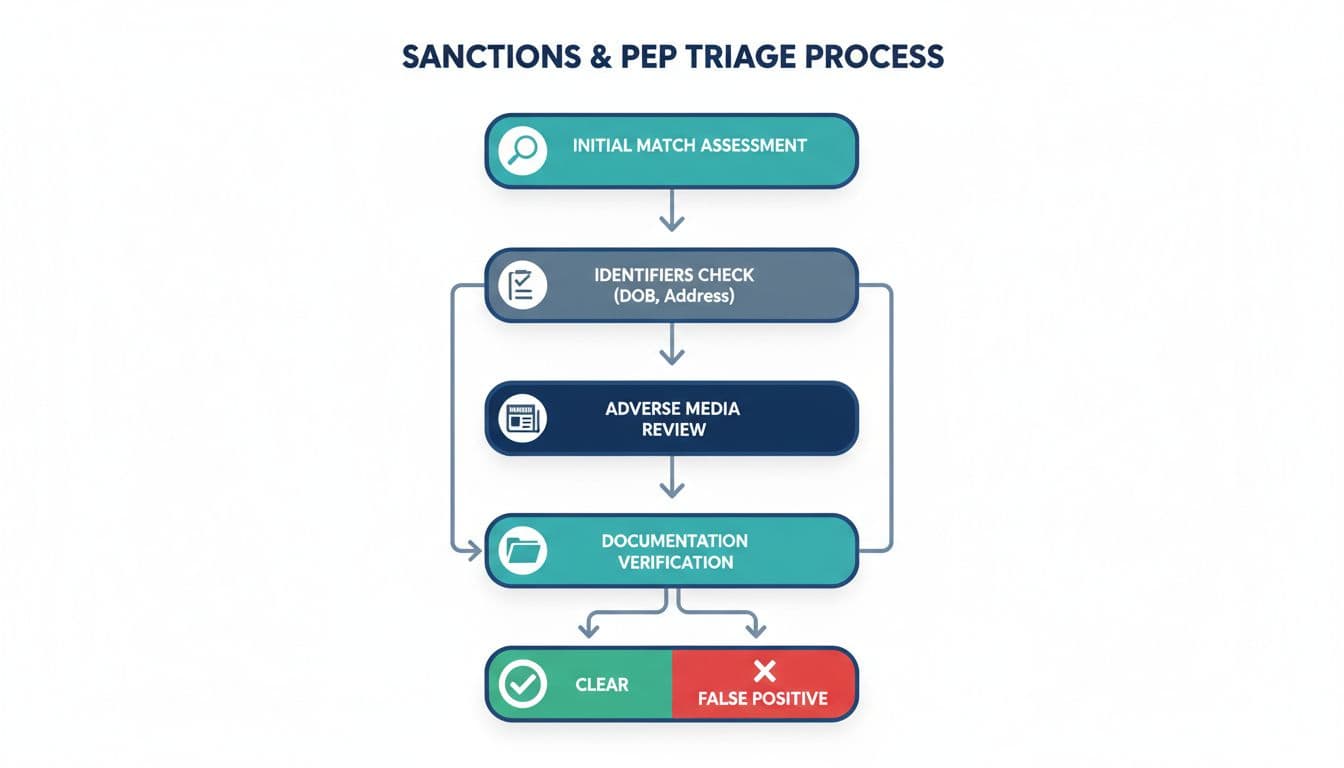
If your team is growing, this flow is also your training tool. New analysts shouldn’t learn by guessing, they should learn by following a consistent path and writing consistent notes.
The evidence pack that passes audit (what to capture every time)
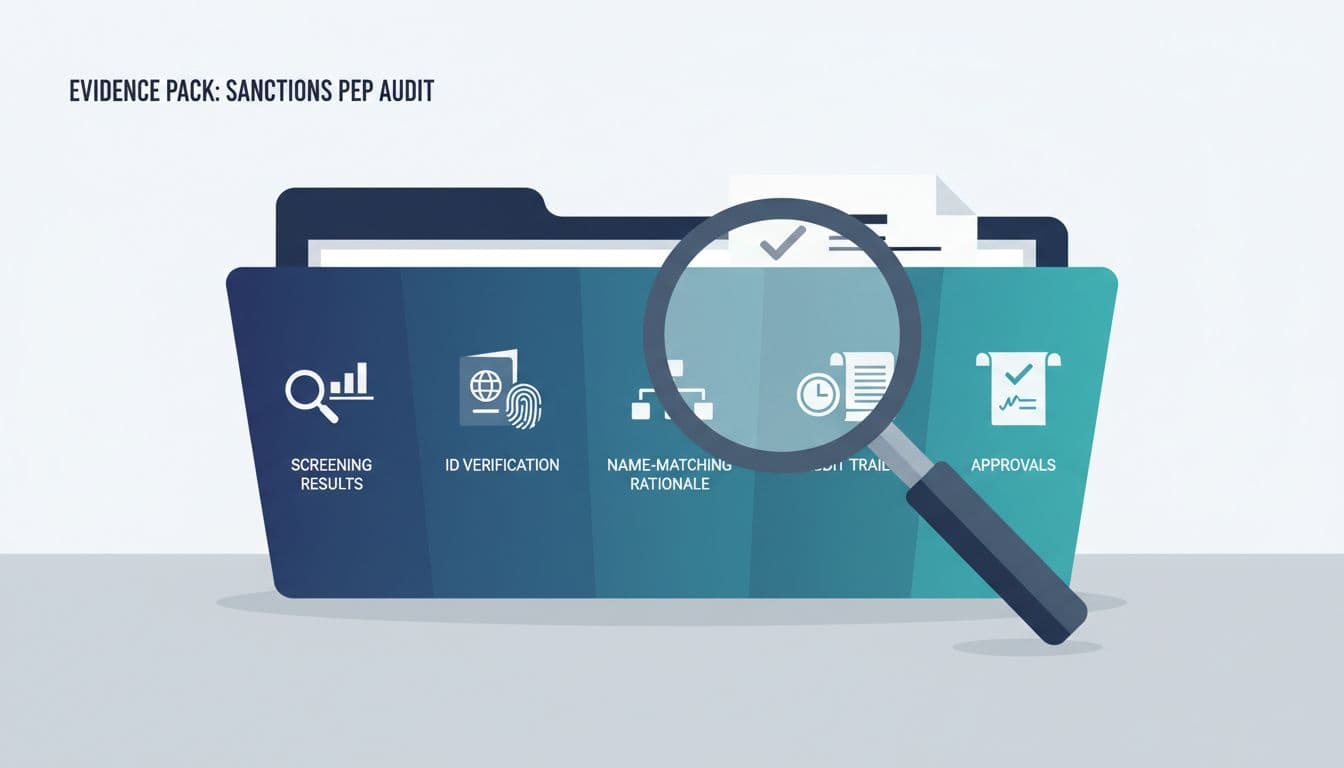
An “evidence pack” isn’t a separate project. It’s the byproduct of doing triage in a way that’s easy to replay.
Here’s a compact pack that usually holds up during audits and regulator exams:
| Evidence item | What to include | Why auditors care |
|---|---|---|
| Alert snapshot | Alert ID, date/time, list source, match score, matched fields | Proves what you reviewed |
| Customer identifiers | DOB, address, nationality, ID number, entity reg number | Shows the basis of the decision |
| Name-matching rationale | 2 to 5 sentences: why it’s not the same person/entity | Demonstrates consistent logic |
| Supporting documents | ID doc result, proof of address, registry extract (for entities) | Backs up identifiers |
| Adverse media notes | Sources checked, dates, what you found (or didn’t) | Shows you looked beyond the list |
| Decision and disposition | Clear, pending info, escalate; reason code | Enables reporting and QA |
| Approvals and QA | Reviewer name, timestamp, comments | Shows oversight and controls |
| Audit trail | Case log, changes, attachments, who did what | Makes it defensible months later |
Two habits make this pack stronger without adding much time:
Use “because” statements: “Cleared because DOB and address don’t match, and list subject is a different nationality.”
Avoid vague notes: “No match” won’t survive an audit.
For teams that need a broader view of KYC steps around screening, Smile ID’s overview of sanction and PEP screening in KYC and AML can help you align triage documentation with onboarding documentation.
Common triage mistakes that create rework (and how to fix them)
Mistake 1: Clearing on name-only mismatches. Fix: require at least one strong identifier mismatch (DOB, ID number, full address).
Mistake 2: Missing list version and timestamps. Fix: always record when and what you screened against.
Mistake 3: No second-line review evidence. Fix: capture approvals in the case tool, not in Slack.
Tools and automation tips for small teams (without losing control)
If your volume is rising, you don’t need to hire your way out first. You need better decision support.
- Case management templates: pre-filled fields for identifiers and rationale reduce messy notes.
- Auto-requests for missing data: trigger a customer email when DOB or address is absent.
- Assistive AI for summarizing case notes (with human approval): useful when notes must be consistent.
If you’re exploring responsible automation, this guide on how Big 4 firms use AI for audit efficiency is a practical lens on where AI helps and where human review still matters.
Conclusion
Fast triage doesn’t mean sloppy triage. The goal is a repeatable decision path, clear notes, and a lightweight evidence pack that explains your thinking months later.
If you adopt the 15-minute checklist and standardize the evidence pack, sanctions PEP triage becomes less about heroic effort and more about steady control. And when the audit question comes, you won’t scramble, you’ll simply open the case and point to the proof.

Adeyemi Adetilewa leads the editorial direction at IdeasPlusBusiness.com. He has driven over 10M+ content views through strategic content marketing, with work trusted and published by platforms including HackerNoon, HuffPost, Addicted2Success, and others.