
If your business ideas include taking card payments, you’re in the card-security business too, whether you like it or not. A single checkout form can pull you into rules, paperwork, and awkward emails from your bank.
That’s where a PCI DSS self assessment comes in. For many small businesses, the Self-Assessment Questionnaire (SAQ) is the yearly proof you handled payment data safely, without paying for a full onsite audit.
As of December 2025, the active standard is PCI DSS v4.0.1, and the updated requirements are fully in effect since April 2025. That timing matters because older “we already did this last year” answers can fail you now.
What a PCI DSS self assessment really is (and what it isn’t)
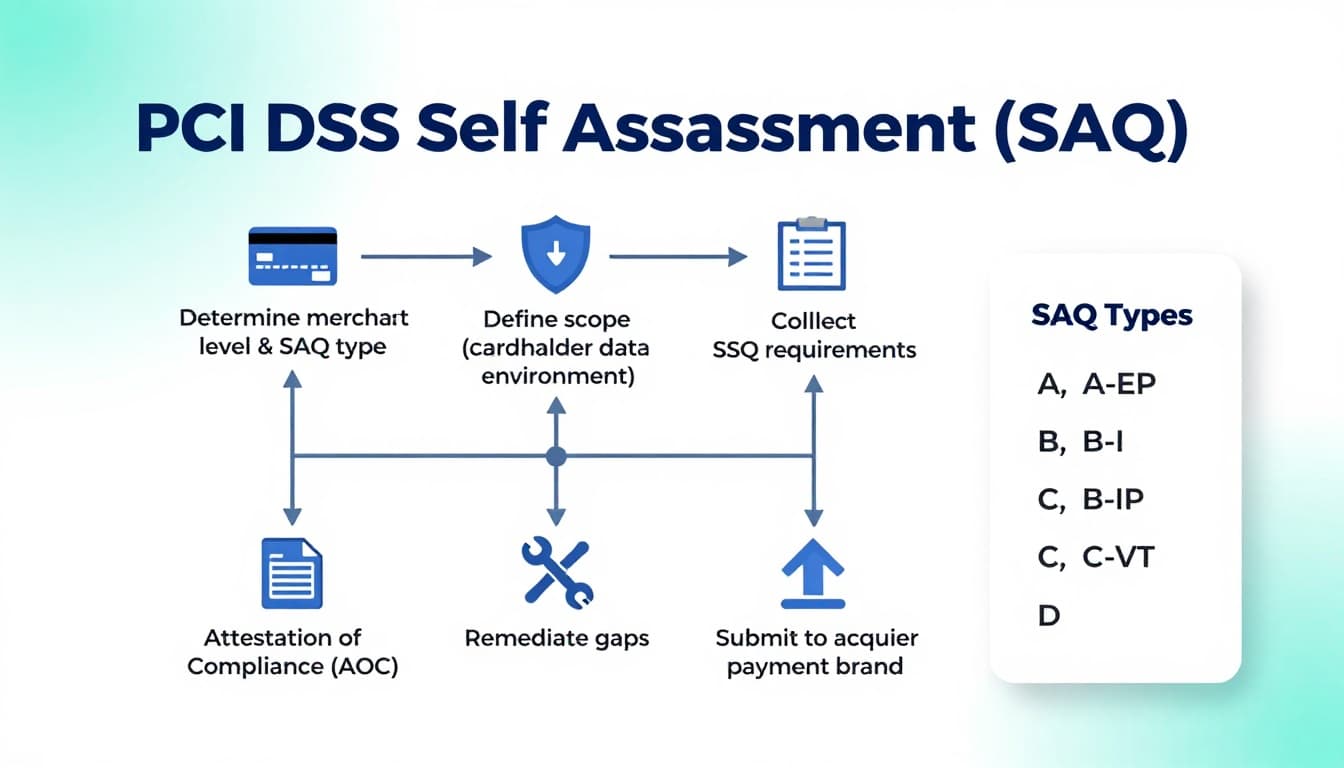
A PCI DSS self assessment is a structured yes/no questionnaire plus evidence. You select the SAQ type that matches how you accept cards, answer the requirements that apply, fix gaps, then sign an Attestation of Compliance (AOC).
It isn’t a one-time form you file and forget. Think of it like a yearly inspection sticker for your payment process. If anything about your checkout changes, your SAQ answers can change too.
If you want the official SAQ documents and updates, the PCI Security Standards Council posts guidance and announcements, including updates for merchants validating to SAQ A.
Start with scope, because scope decides how painful this gets
Most PCI stress comes from one word: scope. Scope is the people, systems, and vendors that touch cardholder data (or could affect its security).
The goal is to keep your “cardholder data environment” (CDE) as small as possible. The smaller the CDE, the shorter your SAQ, the fewer controls you maintain, and the less you have to prove.
A quick reality check:
- If customers type card numbers into your website and it hits your server, scope is usually bigger.
- If you use a hosted payment page or hosted fields that keep card data off your systems, scope is often smaller (still not zero, but smaller).
For Stripe-based setups, this article on Understanding Stripe’s PCI DSS compliance is a useful reference when you’re mapping how card data flows.
The PCI DSS SAQ process, step by step (so you don’t miss the “gotchas”)
You don’t need a fancy GRC program to do this well. You need a repeatable workflow and a place to store evidence.
1) Confirm your merchant level and SAQ eligibility
Your acquirer (bank) or payment provider usually tells you what validation method they expect. If you’re unsure, ask them directly which SAQ you should complete.
2) Map your payment flow and define the CDE
Write down, in plain language:
- Where the card number is entered
- Where it travels (browser to gateway, gateway to processor)
- Where it could be stored (hopefully nowhere)
This is also where modern requirements can surprise you. If your payment page uses third-party scripts, you may need tighter controls around those scripts. A good explainer on the 2025 SAQ A updates is this breakdown of the January 2025 SAQ A changes.
3) Complete the SAQ requirements that apply
Answer honestly. “Yes” means you meet the requirement all the time, not just when you remember.
If you hit “No,” don’t panic. Treat it like a punch list.
4) Collect evidence as you go
Evidence is what makes your SAQ believable. Examples include:
- Policy docs (security policy, incident response plan)
- System settings screenshots (MFA enabled, logging on)
- Vendor confirmations (hosting, payment gateway attestations)
- Change records (patching, updates, approvals)
5) Fix gaps, then re-answer
Don’t submit with gaps unless your acquirer allows a remediation plan (many don’t).
6) Sign the AOC and submit
The AOC is your formal statement that the SAQ is accurate. Most businesses submit annually, but your acquirer can ask for it anytime.
For a broader view of PCI DSS 4.0.1 expectations and how organizations approach compliance, this PCI DSS 4.0.1 compliance guide is a helpful overview.
Choosing the right SAQ type (with quick examples)
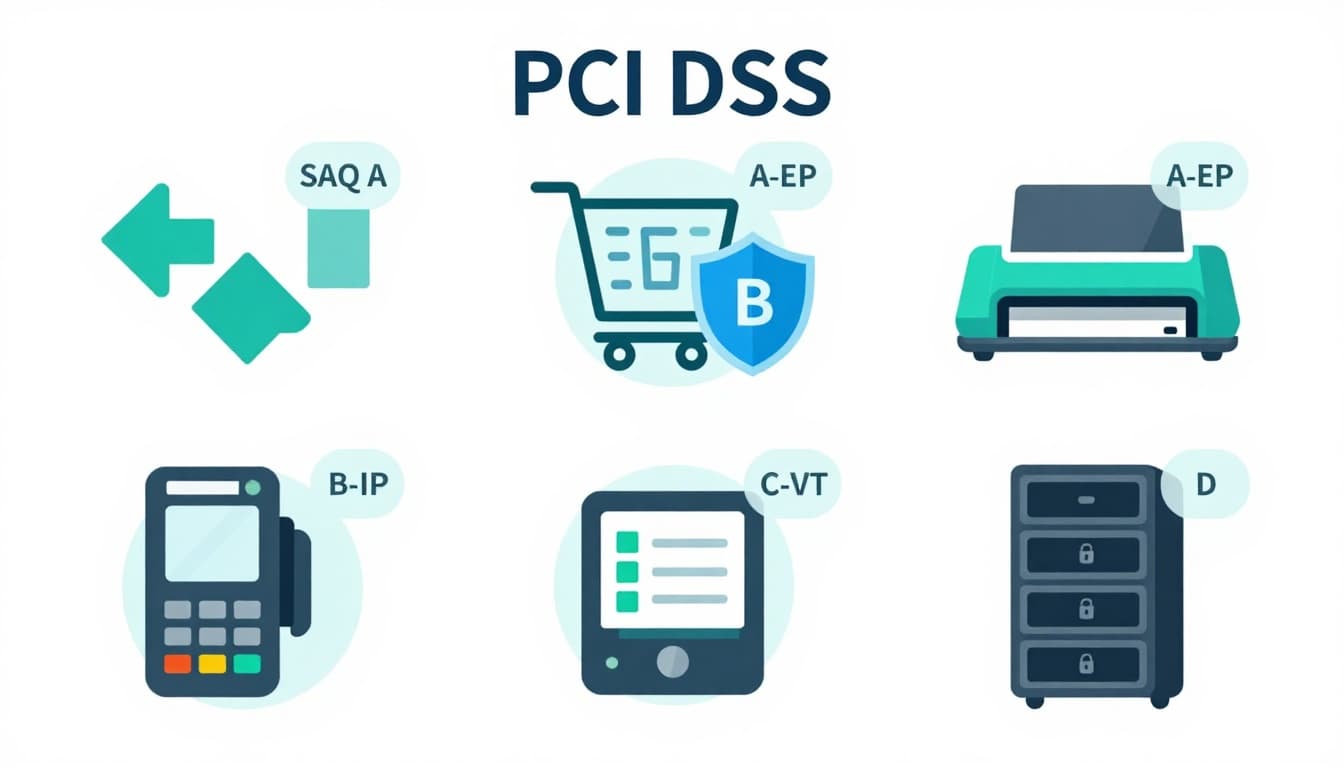
SAQ types exist because “taking cards” can mean very different setups. Here’s a practical cheat sheet to help you start the conversation with your provider.
| SAQ type | Typical fit | Simple example |
|---|---|---|
| SAQ A | Outsourced e-commerce payments, no card data on your systems | Checkout redirects to a hosted payment page |
| SAQ A-EP | E-commerce where your site affects payment security more directly | Payment page on your site that posts to a gateway |
| SAQ B / B-IP | Imprint machines or standalone terminals (varies by connectivity) | A dial-out terminal at a front desk |
| SAQ C / C-VT | Payment apps or virtual terminals on dedicated systems | A single locked-down PC used only for a virtual terminal |
| SAQ D | The catch-all for complex environments | You store card data, or your environment is broad/unclear |
Two mini-scenarios that show how fast things change:
- Online course creator: Uses a hosted checkout from a payment provider. Often closer to SAQ A, because card entry happens on the provider’s page.
- SaaS startup: Embeds a payment form and runs lots of scripts for analytics and personalization. May shift toward SAQ A-EP, because the website itself can affect payment security.
When in doubt, don’t “pick the easiest SAQ.” Pick the accurate one. The easiest SAQ that’s wrong is the most expensive answer you can submit.
Common mistakes that make SAQs fail (and how to avoid them)
Most SAQ problems aren’t hacking problems. They’re process problems.
Mistake 1: Treating the SAQ like a survey.
If you can’t show evidence quickly, your “Yes” is weak. Create an evidence folder as you answer.
Mistake 2: Letting scope creep silently.
A new plugin, chat widget, A/B test script, or marketing tag can change risk on payment pages. Keep a lightweight change log for anything that touches checkout.
Mistake 3: Sharing accounts or skipping MFA.
Even tiny teams need unique logins and strong authentication. This is one of the fastest ways to turn “almost compliant” into “not compliant.”
Mistake 4: Forgetting third parties.
Your hosting provider, shopping cart, and payment tools can all affect compliance. Keep vendor attestations and contracts organized.
Tools and services that make self-assessment simpler (without bloating scope)
You don’t need ten security tools. You need the right few.
- Payment providers with hosted checkout/hosted fields: Often reduce how much card data touches your systems.
- Password manager + MFA app: Improves access control with minimal work.
- Patch management and endpoint security: Helps prove you maintain secure systems.
- Logging and alerting: Makes it easier to show monitoring and incident response readiness.
Choosing a processor also matters. If you’re comparing providers, this guide on Choosing PCI-compliant ecommerce merchant accounts can help you weigh security, fees, and fit.
Conclusion: make PCI a routine, not a yearly fire drill
A PCI DSS self assessment is easiest when it’s built into how you run your checkout, not stapled on at the end. Keep scope tight, document as you go, and treat each “Yes” like something you could defend with proof in five minutes.
If your payment flow has changed since last year, update your SAQ approach before your acquirer asks. Your future self will thank you, and so will your customers.

Adeyemi Adetilewa leads the editorial direction at IdeasPlusBusiness.com. He has driven over 10M+ content views through strategic content marketing, with work trusted and published by platforms including HackerNoon, HuffPost, Addicted2Success, and others.