
Ever had a real customer payment fail, but a suspicious one slide through? Online checkout can feel like a shop door that must stay open, even when you know someone’s testing the lock.
That’s where 3D Secure comes in. It adds an extra authentication step for card payments, helping card issuers confirm the buyer is legit.
If you run an ecommerce store, subscription SaaS, digital product site, or you’re validating new business ideas with paid ads, this matters. Below is a practical, plain-English guide to what 3D Secure is, how it works, what it changes for fraud and chargebacks, and how to implement it without wrecking conversions.
What is 3D Secure on a credit card?
3D Secure (often shortened to 3DS) is a card payment authentication protocol used for online credit and debit card transactions.
Think of it like a bouncer at the door, but only stepping in when the issuer thinks it’s necessary. Instead of relying only on card number, expiration date, and CVV, 3DS lets the card issuer ask for extra proof.
That “proof” might be:
- A one-time passcode (OTP) by SMS
- A banking app approval (push notification)
- Biometrics (fingerprint or Face ID in a bank app)
The modern version is typically EMV 3-D Secure (commonly called 3DS 2.x). It’s built to work better on mobile, reduce friction, and support “risk-based” approvals.
For a merchant, the big idea is simple: reduce fraud, reduce chargebacks, and keep real buyers moving.
How 3D Secure works (frictionless vs challenge flow)
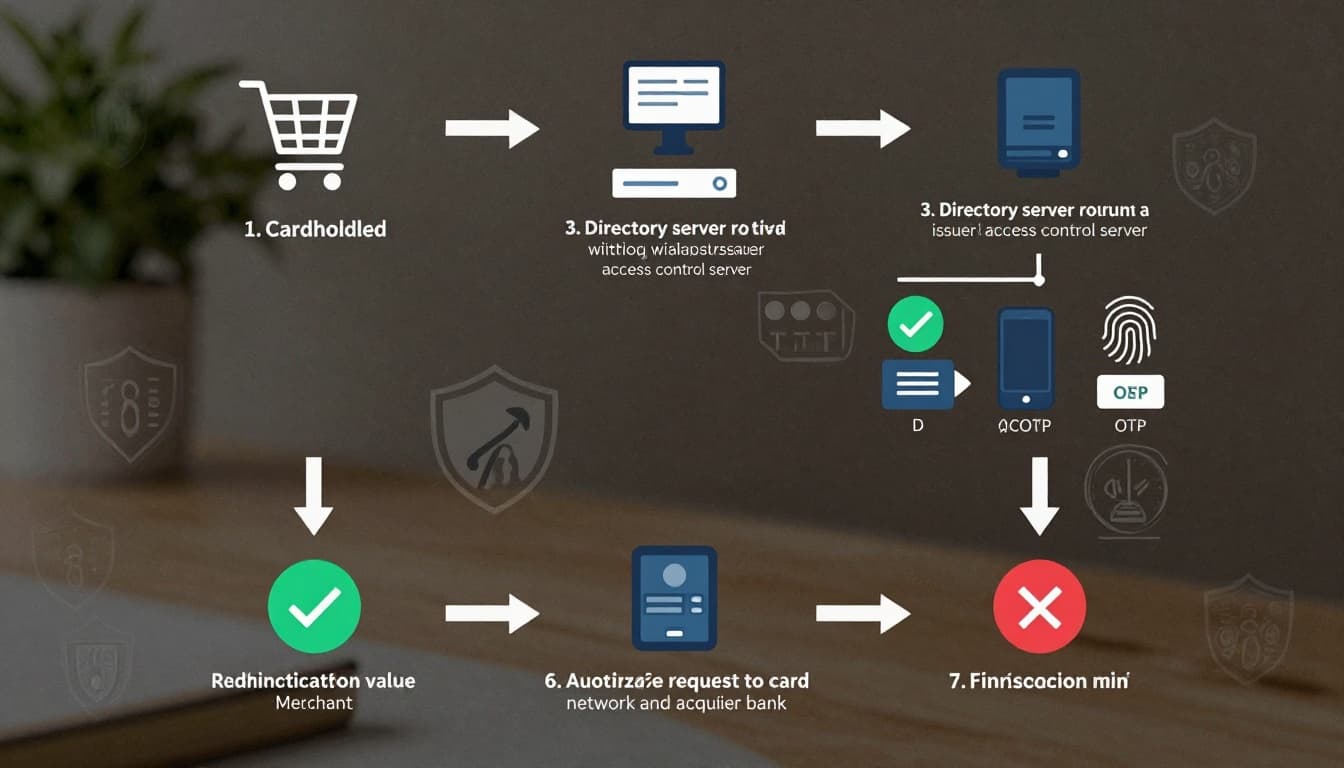
A lot of people assume 3D Secure always means a clunky popup and an OTP. That’s old-school 3DS 1.0 thinking. With 3DS 2.x, many transactions never show a challenge.
Here’s what usually happens:
1) Customer checks out
They enter card details as usual.
2) Authentication request is triggered
Your gateway or payment processor sends data to the card networks and the card issuer’s 3DS systems.
3) Issuer makes a risk call
Using signals like device info, location patterns, past behavior, and transaction context, the issuer decides which path to take.
Two possible outcomes:
- Frictionless flow: The issuer approves authentication silently, the customer sees no extra step.
- Challenge flow: The customer must complete verification (OTP, push approval, biometric).
To see a provider-level explanation with merchant context, Stripe’s guide on how 3D Secure authentication works is a solid reference.
Why businesses use 3D Secure (and what it doesn’t fix)
3D Secure is often sold as “more security,” but the real business value is more specific.
Where it helps most:
- Lower card-not-present fraud: Especially for stolen card testing and unauthorized use.
- Fewer chargebacks for fraud claims: A successful authentication can support a liability shift (when applicable), depending on the scenario, card network rules, and how the transaction is processed.
- Better approval odds in some cases: Issuers may trust authenticated payments more than unauthenticated ones.
Where it won’t save you:
- “Item not received” disputes
- Refund policy disputes
- Friendly fraud where the buyer claims confusion (3DS helps, but doesn’t eliminate it)
- Bad fulfillment and vague billing descriptors
So, 3D Secure is a lock on the payment door, not a full security system for your business.
When should you require 3D Secure?
If you flip on 3DS for every payment, you’ll block some fraud, but you may also lose some legitimate customers. The smarter move is using it selectively, with rules.
Common triggers that make sense for many online businesses:
- High order value compared to your average
- First-time customer with a high-risk signal (IP mismatch, unusual location)
- Digital goods delivery (instant value, hard to recover)
- Subscription signups that historically attract fraud
- Countries or regions where issuers commonly expect SCA-style checks
If you sell into Europe, Strong Customer Authentication (SCA) requirements under PSD2 are one reason 3DS is widely used. Visa’s merchant overview of Visa Secure (EMV 3-D Secure) explains this at a high level.
Implementation checklist for founders and small teams
Good 3DS setup is less about “turning it on” and more about controlling when it appears and how it looks.
A practical checklist:
Confirm your compliance basics: If you’re still unsure how processors handle card data, start with this Stripe PCI compliance overview to understand what stays on your systems versus theirs.
Choose a 3DS approach
- Gateway-managed 3DS (common): Your processor handles most of it.
- Rules-based 3DS: You choose risk rules, thresholds, and when to challenge.
Decide on your “challenge budget”
Set a clear goal like: “Keep challenges under 8% of checkouts,” then iterate.
Make challenges feel normal
- Warn users briefly (“Your bank may ask for verification”).
- Keep error messages plain.
- Offer a second payment method (wallets often convert well).
Track the right metrics
- Challenge rate
- Conversion rate by payment method
- Fraud chargeback rate (separate fraud from service disputes)
- Approval rate by issuer country
If you’re still selecting providers, it helps to compare options like gateway support, fraud tooling, and dispute handling. This guide on choosing the right merchant account for ecommerce can help narrow the field.
Quick comparison: common 3DS-capable platforms
Costs and exact features vary by region and contract, so treat this as a “who it’s for” snapshot.
| Tool/platform | Best for | Starting cost | Key benefits |
|---|---|---|---|
| Stripe | SaaS, ecommerce, platforms | Varies by plan/region | Strong docs, flexible 3DS controls, broad integrations |
| Nuvei | Global merchants, higher complexity | Varies by contract | International coverage, enterprise payment options |
| Stax Payments | US-focused SMBs | Varies by plan | Merchant services focus, practical SMB support |
For implementation details, Stripe’s official 3D Secure documentation is useful if your team needs the technical flow and configuration options.
Common 3D Secure problems (and fixes that don’t require a rewrite)
Problem: “3DS is hurting my conversion rate.”
Fix: Don’t force challenges on every transaction. Use dynamic 3DS rules tied to risk signals and order value.
Problem: Customers fail the OTP challenge.
Fix: Add a short note telling buyers to check their banking app or SMS, and offer a fallback payment method.
Problem: Payments are still being disputed.
Fix: Separate fraud disputes from fulfillment disputes. Improve shipping proof, refunds, and billing descriptors. 3DS can’t patch poor post-purchase ops.
Conclusion: 3D Secure is a checkout upgrade, not a tax on sales
Online payments will always attract fraudsters, especially if your business ideas involve ads, free trials, or instant delivery. The goal isn’t to add friction, it’s to add proof only when it helps.
Set 3DS rules with intention, measure challenge rates, and keep the customer experience calm and predictable. Done right, 3D Secure helps you protect revenue without turning checkout into an obstacle course.
Want an easy next step? Review your last 30 days of chargebacks, then decide where a targeted 3DS challenge would have stopped the loss.

Adeyemi Adetilewa leads the editorial direction at IdeasPlusBusiness.com. He has driven over 10M+ content views through strategic content marketing, with work trusted and published by platforms including HackerNoon, HuffPost, Addicted2Success, and others.