
Signing up a business customer shouldn’t feel like letting a stranger walk into your office and plug into your network. But that’s what it is, financially and operationally.
A solid KYB onboarding checklist helps B2B SaaS teams confirm who’s behind a company, who controls it, and whether the paperwork matches reality. Done well, KYB reduces fraud, chargebacks, account abuse, and messy disputes later.
This guide is for founders, RevOps, finance, and compliance leads who need a practical, step-by-step way to onboard business customers without turning sales cycles into paperwork marathons.
What KYB means in B2B SaaS (and why it’s not “just compliance”)
KYB (Know Your Business) is the process of verifying a company’s identity and its real decision-makers before you grant access to high-trust features like invoicing, payouts, credits, API limits, marketplace access, or sensitive data.
Even if you’re not a bank, KYB still matters because B2B SaaS platforms can be used for fraud, money movement, or impersonation. The risk usually spikes when you offer:
- Usage-based billing with high limits
- Reseller accounts, partner portals, or white-label programs
- Payouts, affiliate commissions, or wallet features
- Admin roles that can create users, keys, or payment methods
If you want a broader view of how teams structure KYB end-to-end, Dotfile’s overview is a helpful reference: end-to-end KYB process guide.
The KYB “minimum viable file”: identity, UBO, control, proof
Think of KYB like building a case file. You’re trying to answer three questions:
- Is this business real and active?
- Who benefits from it (UBO)?
- Who can act for it (control)?
Here’s a compact way to organize what you collect.
| KYB area | What you’re verifying | Typical examples |
|---|---|---|
| Business identity | Legal existence and status | Legal name, registration number, jurisdiction, address |
| UBO (beneficial ownership) | Who ultimately owns the company | Owners above your threshold, ownership percentages |
| Control | Who can make decisions or sign | Directors, officers, authorized signers |
| Proof documents | Evidence that supports the above | Registry extract, incorporation docs, bank statement |
The goal isn’t to hoard documents. It’s to collect enough evidence to make a clear decision, then store it so audits, disputes, or reviews don’t turn into a scramble.
Step-by-step KYB onboarding checklist (UBO, control, and proof docs)
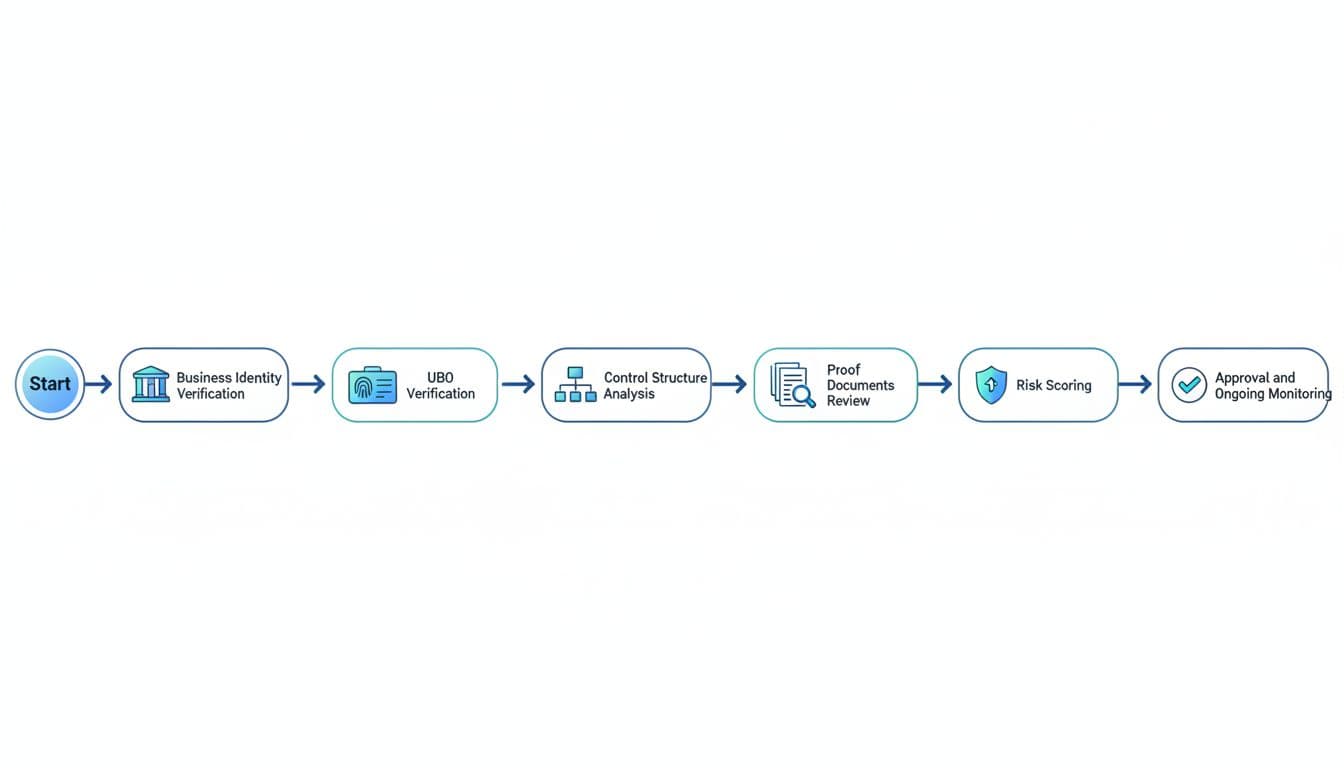
1) Collect business basics at signup (before anyone talks to sales)
Start with fields that reduce back-and-forth later:
- Legal business name (not brand name)
- Registration number (or local equivalent)
- Country and state of incorporation
- Operating address (and website domain)
Tip: ask for the customer’s invoicing details at the same time. Mismatches often reveal errors early.
2) Confirm the company exists and is in good standing
Verify that the entity is registered, active (not dissolved), and matches what the customer typed.
If the registry is hard to access, ask for a recent official extract or certificate. Don’t rely on a PDF alone when an official registry check is possible.
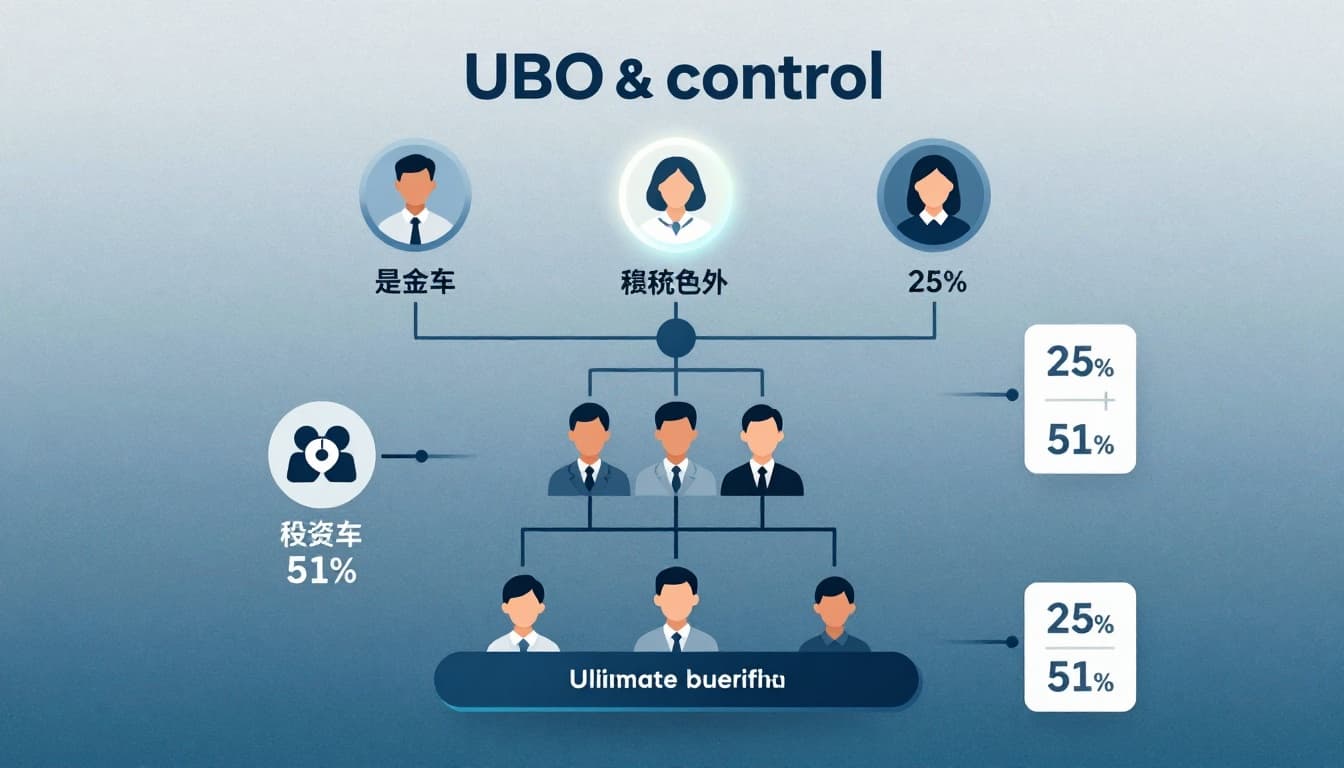
3) Identify UBOs (ultimate beneficial owners)
UBOs are the people who ultimately own the business, even when ownership is layered through holding companies.
Your threshold depends on your policy and jurisdiction, but your process should be consistent. If you need a deeper explainer on UBO concepts, Kyckr’s guide is a useful background read: UBO verification guide.
Practical rule: when ownership gets complex, require an ownership declaration signed by an authorized person.
4) Capture “control persons” (not just owners)
Ownership isn’t the same as control. A CEO with 0 percent equity may still have full authority.
Collect:
- Directors and senior officers
- Authorized signers for contracts and payments
- Admin users who will manage the account
This step prevents a common SaaS headache: a salesperson signs a contract, then finance says they had no authority.
5) Map the ownership and control structure (make it visible)
Ask for a simple ownership chart when:
- A parent company sits above the customer entity
- Multiple subsidiaries are involved
- Trusts or nominee arrangements appear
You’re not doing this to be fancy. You’re doing it so a reviewer can understand the story in 30 seconds.
6) Screen the business and key people against risk signals
Most teams screen:
- The company name and registration details
- UBOs and control persons
Typical risk signals include sanctions exposure, adverse media, high-risk industries, or suspicious address patterns. Keep your screening scope tied to the risk in your product (payouts, credit, reselling, data access).
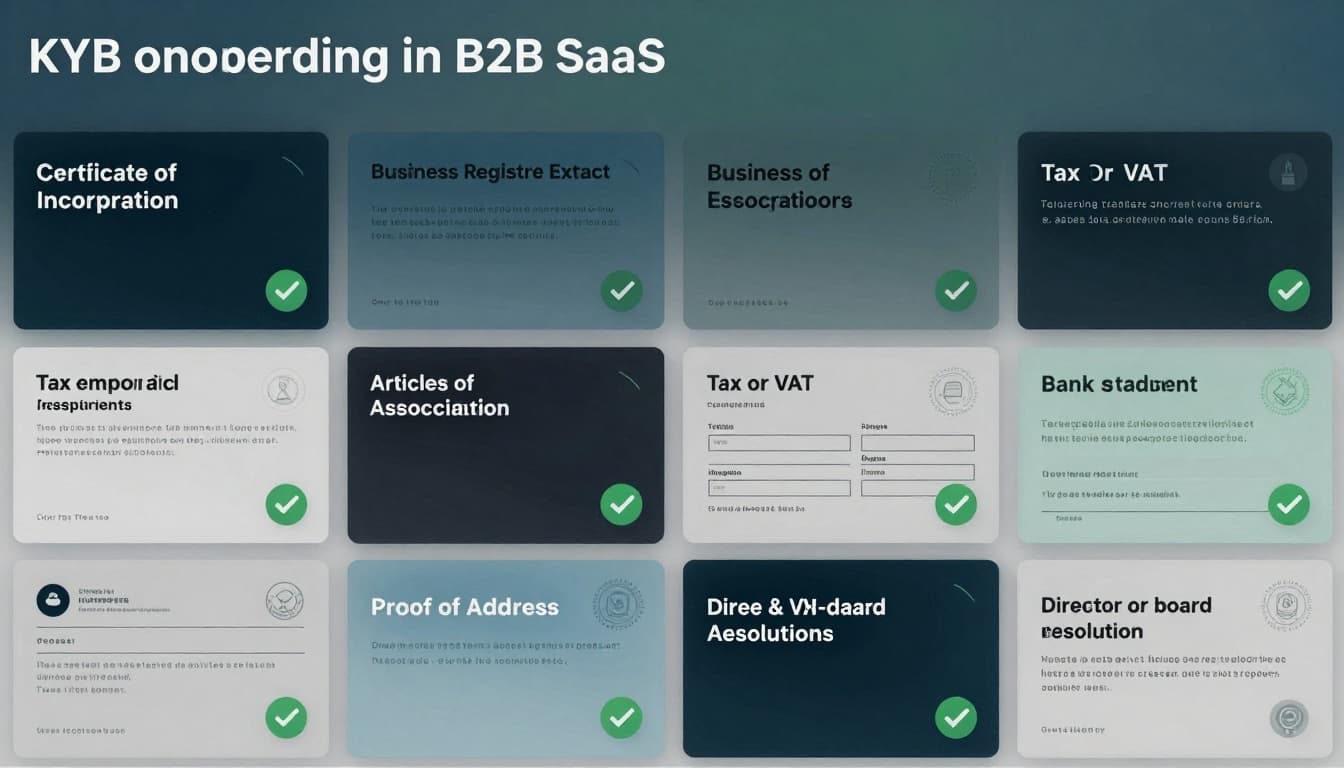
7) Request proof documents (only what you can justify)
Proof documents should support what you already captured, not replace it. Common documents include:
- Certificate of incorporation (or formation)
- Business registry extract (recent)
- Articles of association (or equivalent)
- Tax or VAT letter (where relevant)
- Proof of address (for the entity)
- Bank statement (business account)
- Director or board resolution (when authority is unclear)
8) Check that documents match the data (and look authentic)
This is where many SaaS teams get burned. A document can be “provided” and still be wrong.
Validate:
- Names, addresses, and registration numbers match exactly
- Dates are recent enough for your policy
- The document format and issuer make sense for that jurisdiction
If document fraud is part of your threat model, Resistant AI’s overview is a good starting point: KYB verification guide.
9) Risk-tier the customer, then decide: auto-approve, review, or reject
A simple tier model keeps decisions consistent:
- Low risk: clean registry, simple ownership, standard industry
- Medium risk: minor mismatches, new entity, cross-border complexity
- High risk: opaque ownership, unusual payment behavior, high-risk sector
Match actions to tiers. Medium and high risk should trigger manual review, smaller limits, or staged access.
10) Approve, set permissions, and start ongoing monitoring
Approval shouldn’t mean unlimited trust forever.
Set:
- Role-based access (admin vs billing vs user)
- Spend limits, API limits, payout limits, or approval flows
- Review triggers (ownership change, address change, unusual usage)
Real-world example: a small agency signs up for your SaaS, then asks to add 30 “client sub-accounts” and enable payouts in week one. That might be valid, but it should trigger a control check, proof docs, and tighter limits until verified.
How to reduce KYB friction without lowering standards
Friction kills deals when it feels random. Reduce it by making KYB predictable:
- Tell customers upfront what you’ll ask for (and why).
- Use progressive KYB, collect basics first, then request proofs when risk rises.
- Accept official digital registry links where available, not only uploads.
- Explain who should upload documents (finance admin, director, legal).
Treat it like airport security. People tolerate checks when the rules are clear and consistent.
Common KYB onboarding mistakes B2B SaaS teams repeat
- Collecting too much too early: It slows sales and doesn’t improve decisions for low-risk accounts.
- Ignoring control: Many disputes are authority problems, not identity problems.
- Not matching documents to product risk: If you don’t offer payouts or credit, your policy should reflect that.
- No re-checks: Businesses change names, owners, and directors. Your controls should notice.
Conclusion
A strong KYB program is a trust system, not a paperwork system. When you verify business identity, confirm UBOs, document control, and validate proof docs, you protect revenue and reduce account abuse without punishing good customers.
If you take one step today, make it this: write your policy in plain language, then operationalize it as a KYB onboarding checklist your sales and ops teams can follow every time.

Adeyemi Adetilewa leads the editorial direction at IdeasPlusBusiness.com. He has driven over 10M+ content views through strategic content marketing, with work trusted and published by platforms including HackerNoon, HuffPost, Addicted2Success, and others.